Rewording Tool vs Wordtune: Which Tool Gives Stronger Sentence Improvements in 2026?
I compare Rewording Tool and Wordtune to see which one improves sentences, making content writing clear, strong, and easy to read in 2026.
 Reviewed by: Allison Hott
Who do you think is the king of sentence rewriting in 2026? QuillBot, Grammarly, or Wordtune?
We’ve been watching these three top Google searches for a long time now. But not anymore!
Because 2026 has some strong challenges. Modern tools like the rewording tool offer some amazing features that you would truly love to use.
That’s why I tested both Rewording Tool and Wordtune side by side to see which one offers better clarity and natural tone.
Rewording Tool vs Wordtune: Which Tool Gives Stronger Sentence Improvements in 2026?
To test both tools, I prefer to get an AI-generated paragraph on any topic, such as fashion, SEO writing, digital marketing, etc.
This helps me see which tool can more easily and appropriately reword AI-generated content while avoiding potential Google E-E-A-T penalties.
Hands-on test: Wordtune in action
To understand Wordtune fairly, I didn’t rely on assumptions. I tested it with a real writing scenario.
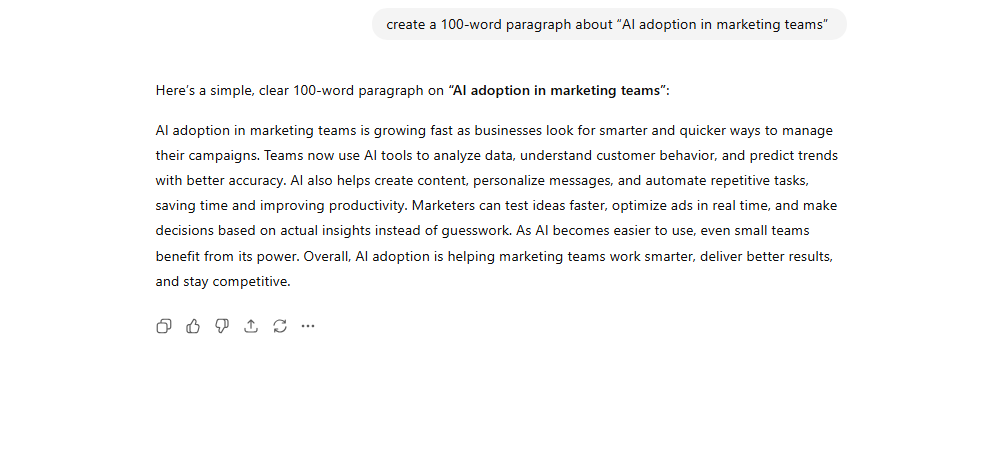
I took a slightly awkward 100-word paragraph about “AI adoption in marketing teams” using ChatGPT and ran it through Wordtune’s Rewrite feature.
Here are results:
- Very fast rewriting:
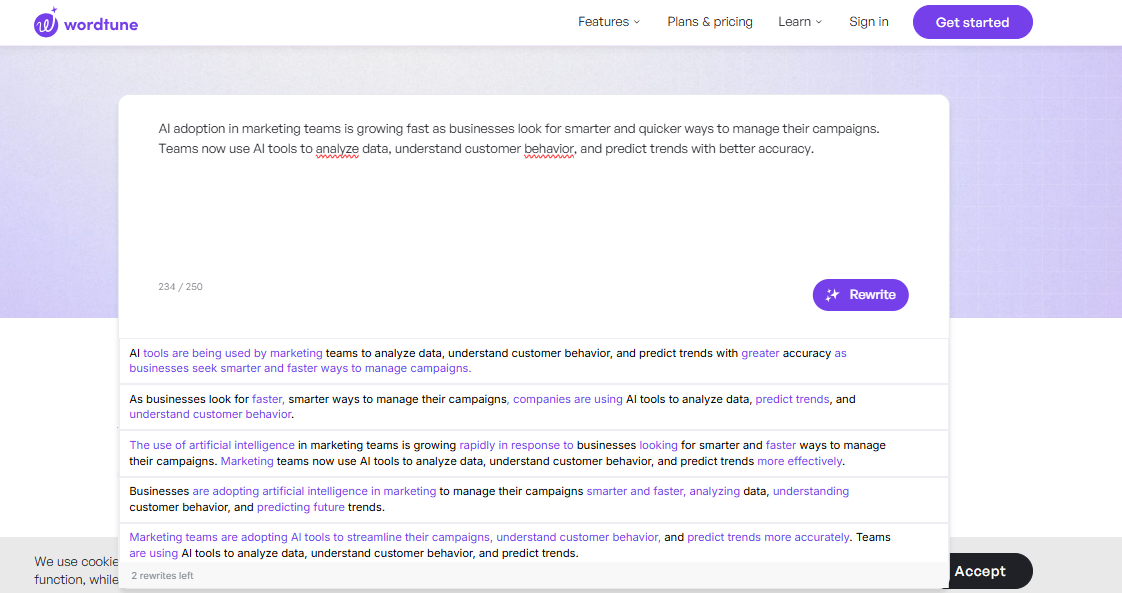
Wordtune generates suggestions almost instantly. You paste text → click Rewrite → get multiple variations.
- Quality rewriting
It gives quite accurate results. I mean the newer version looks absolutely fresh.
But during the test, I also noticed a few limitations:
- Sometimes, it keeps the same sentence structure. Complex sentences remain in the text, and words repetitively appear without changing the meaning of the sentences. The tool shows multiple results, but there is a 250-character limit, which is very frustrating.
- For example, it offers free rewriting, but only for 250 words at a time, and also provides multiple suggestions for rewriting. This is not ideal for beginners. Because of these limitations, I decided to move on and test the Rewording Tool instead.
Hands-on test: Rewording Tool in action
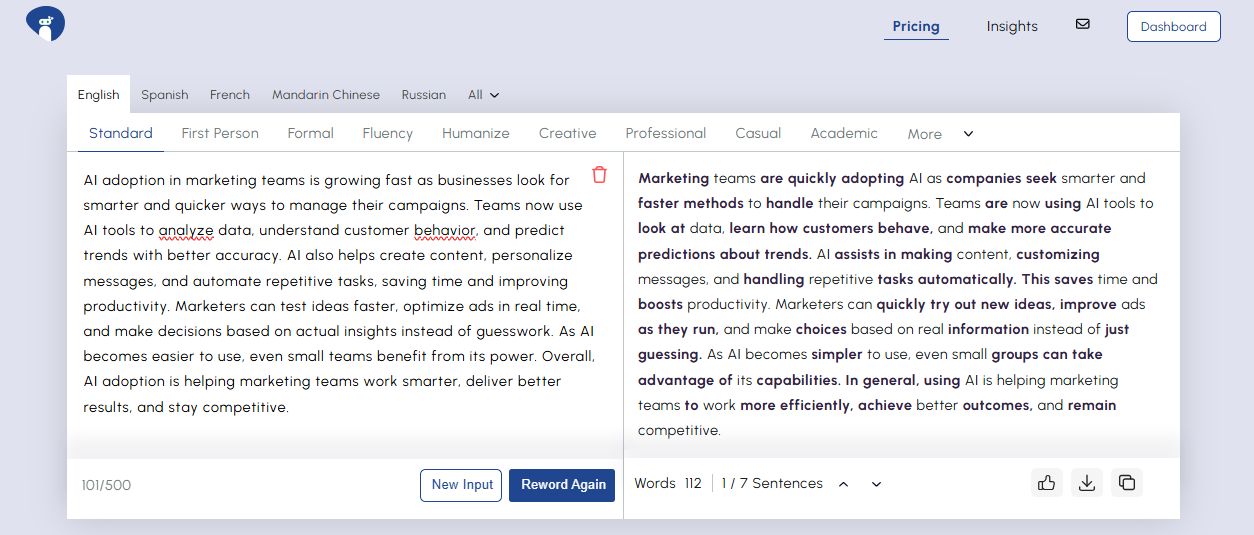
I used the exact same 100-word paragraph about “AI adoption in marketing teams” and ran it through its rewriting modes.
Here’s what I noticed right away:
- Flexible rewriting options
Unlike most tools, the online reword generator gives multiple tones instantly. Like professional, humanized, casual, first person, academic, and more. You can switch styles without rewriting the input.
- Better sentence improvement
The rewrites felt cleaner and more natural. It improved flow, fixed awkward phrasing, and made the meaning clearer without sounding robotic.
But during testing, a few things stood out the most:
- More humanlike tone
Even in complex sentences, it kept the message intact but made the writing easier to read.
- Great for content expansion & shortening
With one click, it can expand an idea or shorten a long sentence — something Wordtune can’t always do for free.
Overall, the Rewording tool is good in sentence improvements, especially for flow, tone, and clarity.
Feature snapshot: Rewording Tool vs Wordtune
To show the real differences between both tools, here’s a quick side-by-side feature comparison based on my hands-on testing.
|
Feature |
Rewording Tool |
Wordtune |
|
User Interface |
Minimal, distraction-free |
Clean, modern UI |
|
Free Word Limit |
250 words |
250 characters only |
|
Rewrite Quality |
Natural, humanlike |
Accurate but sometimes too close to the original |
|
Sentence Improvement |
Strong restructuring + tone options |
Good polishing, weaker restructuring |
|
Tones Available |
15+ |
Only default |
|
Rewrite Modes |
10+ modes |
Default only (unless paid) |
|
Language Support |
25+ languages |
Mostly English-focused |
|
Expand Text |
Yes |
No |
|
Shorten Text |
Yes |
No |
|
Usage |
Unlimited rewriting |
Limited on free plan |
|
Best For |
Humanlike rewrites, clarity, multi-tone rewriting |
Quick polishing and light sentence improvements |
Real-time comparison: Which improves sentences better
To keep this comparison fair, I used the same 100-word paragraph about “AI adoption in marketing teams” and ran it through both tools.
Here’s what I noticed while comparing the results side by side:
1. Clarity
- Wordtune: Clear, but sometimes keeps long or stiff sentence structures.
- Rewording Tool: Breaks ideas into smoother, simpler sentences without losing meaning.
Winner: Rewording tool
2. Tone accuracy
- Wordtune: Occasionally shifts toward academic phrasing.
- Rewording tool: Easily adapts tone when switching modes (professional, casual, persuasive, fluent).
Winner: Rewording tool
3. Meaning Preservation
- Wordtune: Sometimes changes emphasis or softens claims.
- Rewording tool: Keeps meaning stable even when rewriting aggressively.
Winner: Rewording tool
4. Readability
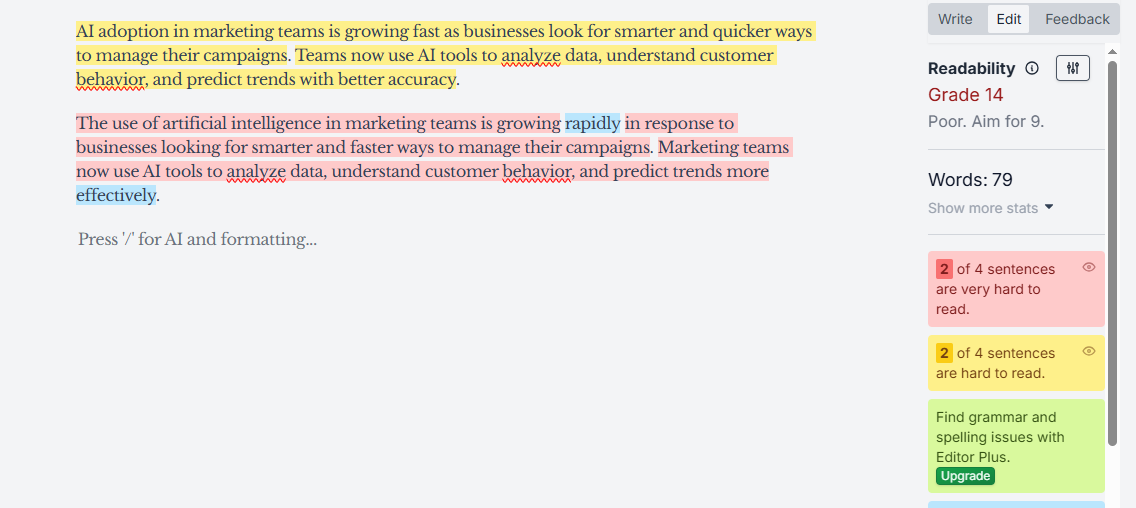
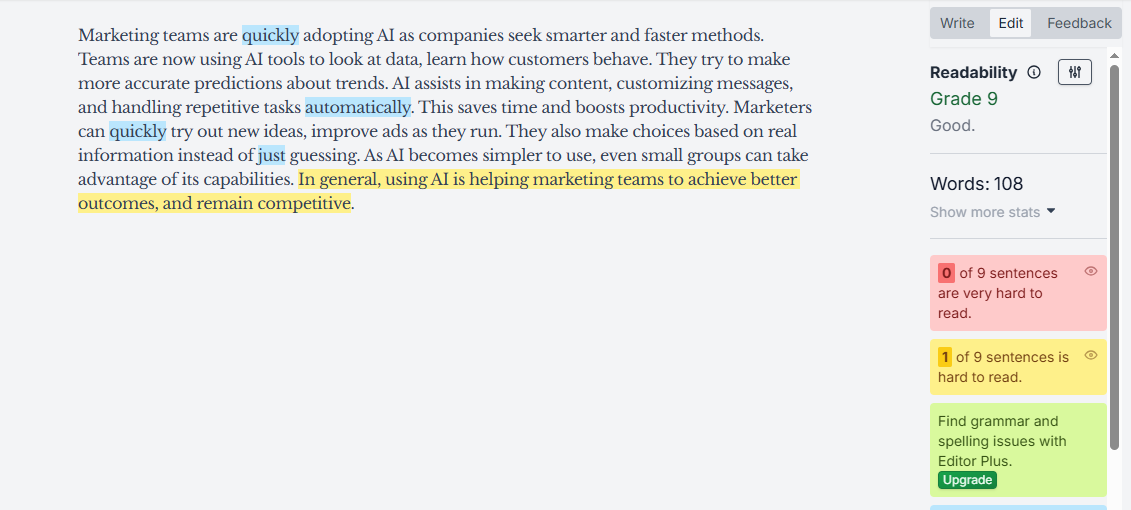
I ran both outputs through HemingwayApp and checked their readability score.
Wordtune:
- Grade: >12
- A couple of hard-to-read sentences
Rewording Tool:
- Grade: ~7
- Zero “very hard” sentences
Winner: Rewording tool
My verdict
After comparing both Wordtune and Rewording Tool across real writing scenarios, readability checks, and AI-human evaluations, the results are clear.
Rewording Tool consistently produces more natural sentences and handles tone more accurately.
Wordtune is reliable for quick sentence refinement, but it alters the meaning and keeps sentence structures too close to the original.
For writers, students, marketers, and professionals who want precise, readable, and versatile improvements, Rewording Tool is the stronger choice in 2025 as well as in 2026.